Team chat and video calls on servers in Germany
Most teams use one tool for tasks, a second for chat and a third for video calls. Agreements get lost in between. In KlangCity, team chat and calls are part of the same tool as your board: a message becomes a task, a call becomes minutes. The app runs on servers in Germany, and video calls on our own server.
Chat where nothing gets lost
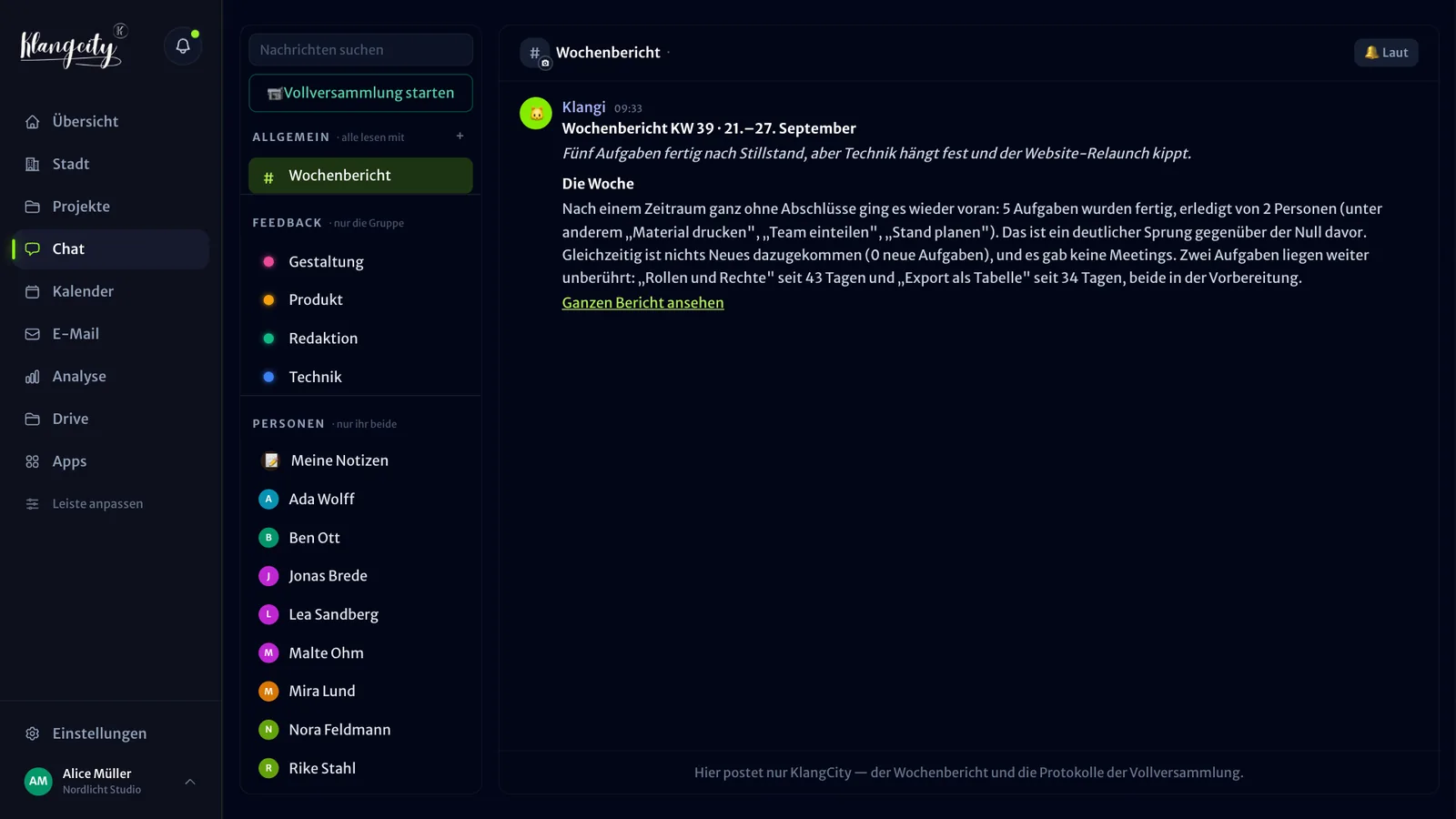
The chat is built around your organisation:
- Channels for each expertise group and direct messages for anything personal.
- Replies, reactions and polls, plus your own GIF collection.
- Images, videos and documents uploaded straight into the chat.
- Pinning: important things stay at the top.
- Send later: write a message when it occurs to you and send it when the time is right.
- Full-text search: finds everything again, old messages included.
What makes it different: one tap turns any message into a task or a reminder. So the agreement “Can you send the quote by Friday?” ends up on the Kanban board instead of disappearing in the history.
Voice messages with transcripts
Some things are quicker to say than to type. KlangCity transcribes voice messages automatically. Anyone who can’t listen right now simply reads along, and search finds what was said too. Speech recognition runs on our own server. In Basic, voice messages with transcripts can be up to 60 seconds long, from Pro up to 5 minutes.
Quiet hours and away status
A team chat can be stressful too. That is why there are quiet hours and an away status that keep your evenings free. If you are on holiday, you don’t have to be reachable.
Example organisation, no sign-up. Works on your phone too.
Video calls on our own server
Video calls run on our own server (LiveKit). The audio never leaves our servers. There are three kinds:
- 1:1 calls between two people.
- Group calls for teams and projects.
- All-hands meetings for the whole organisation.
In the call, these help you:
- Grid and speaker view, depending on whether you want to see everyone or the person who is speaking.
- Mini window, so you can work on the board or in chat at the same time.
- Raise hand, so quieter people get a word in too.
- Drawing on the shared screen, to show something directly.
- Brainstorming in the sidebar, to collect ideas without interrupting the conversation.
From appointment to minutes
Calls are linked to the calendar. You create appointments, group calls and all-hands meetings there. Klangi, the cat who guides you through KlangCity, reminds you by direct message, from 5 minutes to 2 days before depending on your setting, and invites you straight into the call when it starts. Before group calls and all-hands meetings, the agenda arrives on your phone 48 hours ahead.
After the call, KlangCity writes the minutes: our own speech recognition transcribes what participants say with their consent, the AI sums it up and the raw transcript is deleted afterwards. How exactly that works is on the page Automatic meeting minutes.
GDPR-friendly team chat: where your data is stored
For a team chat that should fit the GDPR, what matters most is where messages and conversations are processed:
| What | Where |
|---|---|
| App with chat and messages | Servers in Germany (Hostinger) |
| Files and backups | Hetzner |
| Video calls | Our own server (LiveKit) |
| Speech recognition for voice messages and meetings | Our own server (Whisper) |
| AI features such as the chat bot | Text goes to Anthropic, set out in the data processing agreement |
The data processing agreement is included. On top of that there is two-factor login, mandatory for everyone if you wish, a list of login attempts from the last 90 days, retention periods and a data export for each person and the whole organisation.
Chat and city are connected
The chat also feeds into the 3D city, but only as counts, never with content. If two people often message each other directly, a path appears between their houses, from a footpath to a road. If someone has neither commented on a task nor written a direct message for 7 days, the city reports “Works in isolation”. The owner of your organisation decides who sees these signals about individual people.
If you are coming from another tool for chat and calls, take a look at the comparison KlangCity as a Teams alternative (German).
What does it cost?
Chat, 1:1 calls and the Klangi bot are included in every plan. In Basic, free for up to 5 people, group calls and all-hands meetings last up to 40 minutes, and from Pro there is no time limit. From Pro you can also bring external guests without an account into the video call for appointments. All details are on the pricing page.
Example organisation, no sign-up. Works on your phone too.
Frequently asked questions
Where are the servers for chat and video calls?
The app with the chat runs on a server in Germany, and files and backups are stored at Hetzner. Video calls and speech recognition run on our own server in Frankfurt am Main, and the audio never leaves it.
Are voice messages transcribed?
Yes, automatically. In Basic up to 60 seconds per voice message, from Pro up to 5 minutes.
How long can group calls last?
In Basic up to 40 minutes, from Pro without a time limit. 1:1 calls are included in every plan.
Can I turn a chat message into a task?
Yes. One tap turns any message into a task or a reminder.
Does the city read our messages?
No. The city signals only count how often people message each other directly or comment on tasks, using fixed rules and without AI. The Klangi bot in the chat is different: it is an AI feature, so text goes to Anthropic, as set out in the data processing agreement.