Project management for small teams: free for up to 5 people
Small teams don’t need a heavy tool. They need one place where tasks, agreements and appointments come together. That is exactly what KlangCity is: project management for small teams with Kanban, chat, video calls and a calendar. For the first 30 days you try Pro free, and after that Basic stays free for good for up to five people. And a 3D city shows you when someone on the team has too much on their plate.
A project management tool: start free, try Pro for 30 days
Every new organisation first tries Pro for 30 days, with no card and no subscription. The trial ends by itself. After that, Basic stays free for good, for up to five people. Creating an account is all it takes. Basic includes:
- the 3D city with all 35 signals and the city replay over 7 days
- Kanban, tasks and milestones
- chat with channels, and images, videos and documents in chat
- one-to-one calls and group calls up to 40 minutes
- voice messages up to 60 seconds, transcribed automatically
- a calendar with reminders
- file storage (Drive) with 5 GB, and inventory
- the weekly report and meeting minutes, 4 of them a month with AI
- wiki, brand library and presentations
- two-factor login and data export
The AI features are included at no extra cost. Guests who only read along don’t count as people.
Why small teams should watch out for overload
In a team of five, every absence shows at once. If one person falls ill because they had too much on for weeks, a fifth of the team is missing. And in small teams, people rarely say out loud: “I can’t keep up any more.”
KlangCity calculates 35 signals from your tasks. Traceable, with numbers, without AI. Two examples:
- “House on fire”: A person’s house is on fire when they have been given at least three tasks in 14 days, all urgent or high priority.
- “Free capacity”: A party starts outside the house when someone has fewer than two open tasks.
That way you share out work before things blow up. The guide Sharing out workload fairly (German) shows how that works day to day. More about the signals under City and signals.
How a small team gets started
From account to city in three steps:
- Set up your organisation. An assistant guides you through setup in ten steps. They include 14 short questions about how you make decisions, and KlangCity adapts to your answers.
- Lay the foundation stone. Your first project and first task are created while you are still in the assistant. On your first visit, the task stands in the city as a building.
- Invite your colleagues and get going. Anyone who already has an account joins with a code.
The Klangi tour shows in 19 chapters what is where. So you don’t need to read anything beforehand.
Kanban with a built-in method
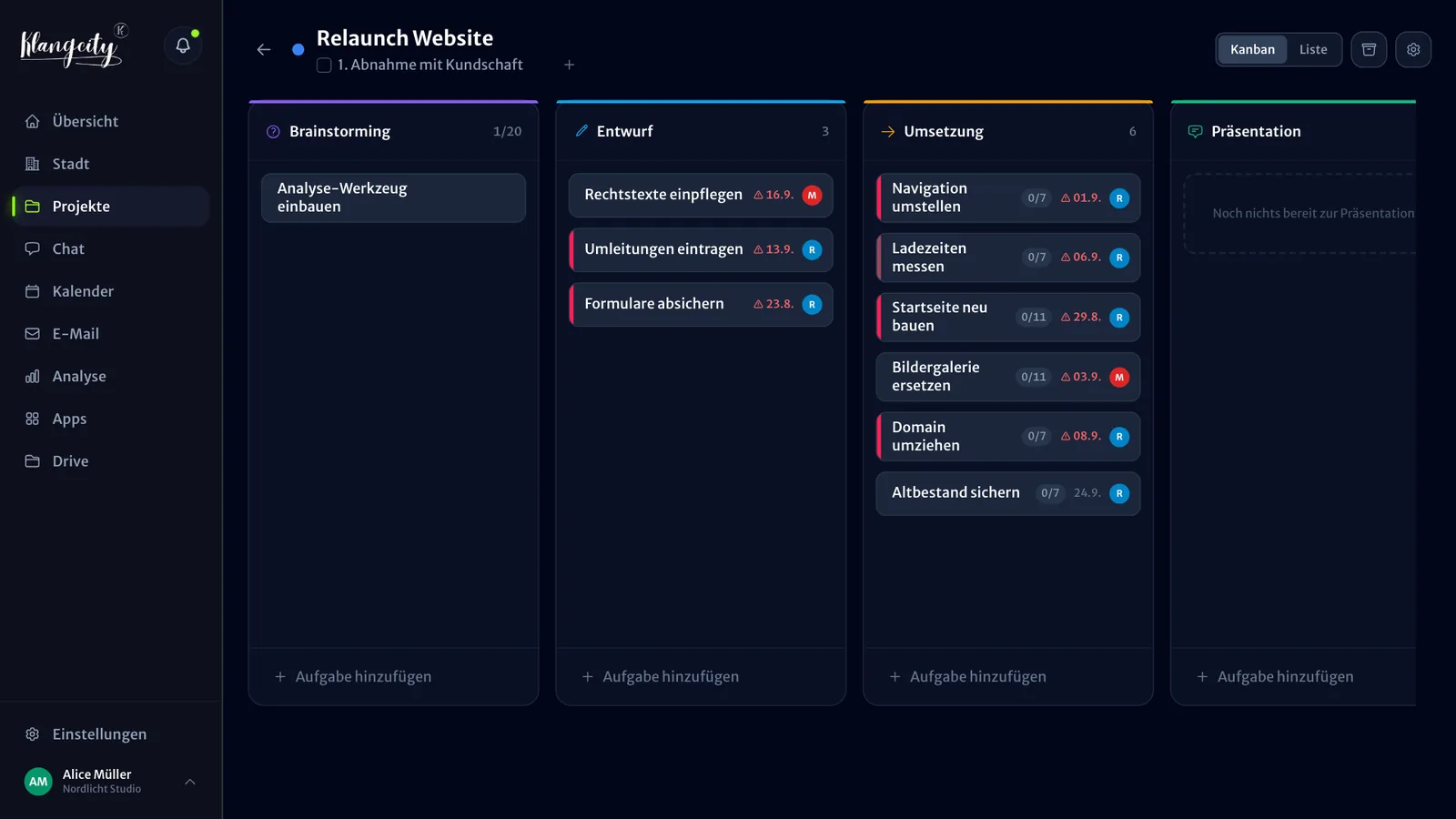
Small teams rarely have time to invent their own system. That is why the Kanban board has five fixed phases: Brainstorming, Draft, Implementation, Presentation, Done. There are reflection questions for each stage. The city moves completed tasks to the archive automatically after seven days. So the board stays clear, and nothing gets lost.
If you want a freely designed board with your own columns, other tools suit you better. If you are looking for a clear structure, you save yourself the setting up.
Fewer tools, less switching
Many small teams use a board, a messenger, a video tool and a shared calendar. KlangCity brings them together. One tap turns any chat message into a task or a reminder. Video calls run right in the app. Meetings write their own minutes, and every Monday the weekly report arrives in its own channel. More under Chat and calls.
Example organisation, no sign-up. Works on your phone too.
When the team grows
If you grow beyond five people, or need longer group calls or the city replay over 30 days, you move to Pro. Pro includes 10 people, and more people can be added. Write to us and we confirm the price for your country personally.
Pro brings group calls without a time limit, AI meeting minutes without a limit, the city replay over 30 days, 1 TB of storage, two shared email inboxes, incoming invoices to Lexware or your tax adviser and automations via webhooks and API. You can change plans at any time. All details on the page Plans and features.
The honest limits
KlangCity runs in the browser, on phones too, as an iPhone app on the App Store and as an Android app on Google Play. In the Basic plan, group calls are limited to 40 minutes, storage to 5 GB, the city replay to 7 days and AI meeting minutes to 4 a month. And KlangCity is a young product from Cologne, not a corporation with hundreds of integrations.
The quickest way to find out whether KlangCity suits you is the demo city. It runs without signing up. Or start free right away.
Example organisation, no sign-up. Works on your phone too.
Frequently asked questions
Is KlangCity really free for small teams?
Yes. Basic is free for good for up to five people. Before that, you try Pro for 30 days, with no card and no subscription. The trial ends by itself, and then Basic applies. For Basic, creating an account is all it takes.
What is missing in the free plan?
Group calls last up to 40 minutes, voice messages up to 60 seconds, and storage is 5 GB. The city replay goes back 7 days, and the AI writes 4 meeting minutes a month. Shared email inboxes, incoming invoices, the building editor and automations only come with Pro.
Where is our data stored?
In Germany. The app runs at Hostinger, and files and backups are stored at Hetzner. Video calls and speech recognition run on our own server in Frankfurt am Main.
Do we need training?
No. An assistant guides you through setup, and the Klangi tour shows in 19 chapters what is where.